
How to Search Cases by Name
The Pike County Clerk posts a page labeled Search Civil and Criminal Cases. Its public face offers no party-name query box. Instead it redirects to an Icon Case Management login. So a last-name search cannot be assumed without an authorized account. Treat any public name search for Pike County court records as unconfirmed until you are logged in.
- Identify whether the matter belongs to Superior, Probate, Magistrate, Juvenile, municipal, or federal court.
- Open the official court route. For Superior matters, use the Clerk-linked portal only with credentials you are authorized to use.
- When account search fields are available, enter the name as the system requests and narrow by court or case type only if those controls appear.
- Compare candidates by case number and filing context. Do not rely on a matching name alone.
- If no public name query is available, call the proper clerk and ask what identifiers are needed for inspection.
Phone lines answer most routing questions fast. The Superior Clerk can be reached at (770) 567-2000; Magistrate uses (770) 567-2004, and Probate uses (770) 567-8734. For city citations, contact the issuing city.
Pike County Meets the Login Gate
The Pike case-search entry runs on Icon Case Management version 5.1.3.1. The screen shows account controls, not docket query fields. The UserID field carries the prefilled value VIEW, but no official source publishes a matching public password. Never alter, infer, or share credentials.
| Visible control | Type | What it proves |
|---|---|---|
| UserID | Text | An account login exists, not that public access is granted. |
| UserPassword | Password | Credentials are required at the observed gate. |
| Remember User Name | Checkbox | A browser preference only. |
| Log In | Image button | Submits credentials; it is not a case-search button. |
Before login, the form offers no party, number, status, date-range, result, document, or fee fields. Anyone promising those details outside an account is guessing.
How to Search by Case Number
A case number is the strongest Pike County search key. It separates people with similar names. It also helps staff route the request to the right file. The public civil calendar shows a pattern like YYYYCV-###. That is a four-digit year, the civil marker CV, and a running sequence. That sample does not prove every division formats numbers the same way. Copy the number exactly as printed on a notice or calendar. Keep zeros, letters, and punctuation. Use only the forms the interface offers if the portal accepts variants. When a number fails, ask the clerk whether the case sits in another court. Or ask whether the calendar number differs from the lookup format.
Pike County Calendar Search Fallback
The Clerk's calendar index works as a fallback when the portal is closed to you. It shows whether a matter is set at all. The categories cover Circuit, Civil, Civil Jury Trial, and Criminal. They also include Criminal Calendar Call, Criminal Jury Trial, Juvenile Circuit, and Board of Equalization. Open the newest PDF and scan it by eye. Criminal calendars are sometimes scanned images. So the text search in your browser may miss entries that are plainly on the page.
Use the calendar for dates, not full history. A calendar entry can identify a case number and setting, but it is not the complete Pike County court docket.
With the case number in hand, take it back to the right clerk. That office handles the register, any filed documents, and certified copies for the Pike County court docket. The Pike County court dates page walks through the setting fields in more detail.
What a Case Search Shows
Once you have the number, go back to the correct clerk for the register, filed documents, or a certified copy. The Pike County court dates page unpacks the setting fields in greater depth.
| Case number | The unique identifier, with a civil sample using YYYYCV-###. |
|---|---|
| Case style | The caption line; names were suppressed in the research sample. |
| Status | A code such as observed OP, whose expansion was not published. |
| Case type and cause | The broad category and reason for the setting. |
| Filed date | When the case or filing entered the system, not the hearing date. |
| Setting note | Text such as final hearing or continued from an earlier date. |
The public PDF carries no clickable pleadings and no complete event history. Ask the clerk separately for the docket, a document image, or a certified copy.
Georgia E-Access Is a Directory
The Georgia E-Access page is a directory, not a search box. It lists participating courts and points each one to its provider. Pike Superior appears on the list, but picking it there does not query anything. The provider you land on controls the account. It also sets the search fields, the coverage, and access to documents. The state page warns that an account is required. Knowing this saves you from a common dead end. Lower courts may still keep separate office or vendor routes for their records.
County vs Statewide Case Search
Pike County runs no State Court, so there is no State Court docket to search. Superior Court cases follow the Superior Clerk route. Probate, Magistrate, Juvenile, and municipal dockets stay separate, and federal matters go through PACER for the Northern District of Georgia.
| Route | Best use | Limit |
|---|---|---|
| Pike Clerk portal | A known Pike Superior civil or criminal case | Observed login gate; public fields not exposed |
| Georgia E-Access | Finding the provider for a participating court | Directory only, with provider account required |
| Clerk calendars | Finding a public hearing setting | Not a full register or document store |
| Direct court office | Confirming custody, identifiers, inspection, and copies | Must contact the correct court |
No single free statewide docket search exists here. The reliable combination stays the same: know the issuing court and bring the case number.
PeachCourt Is Not Docket Browsing
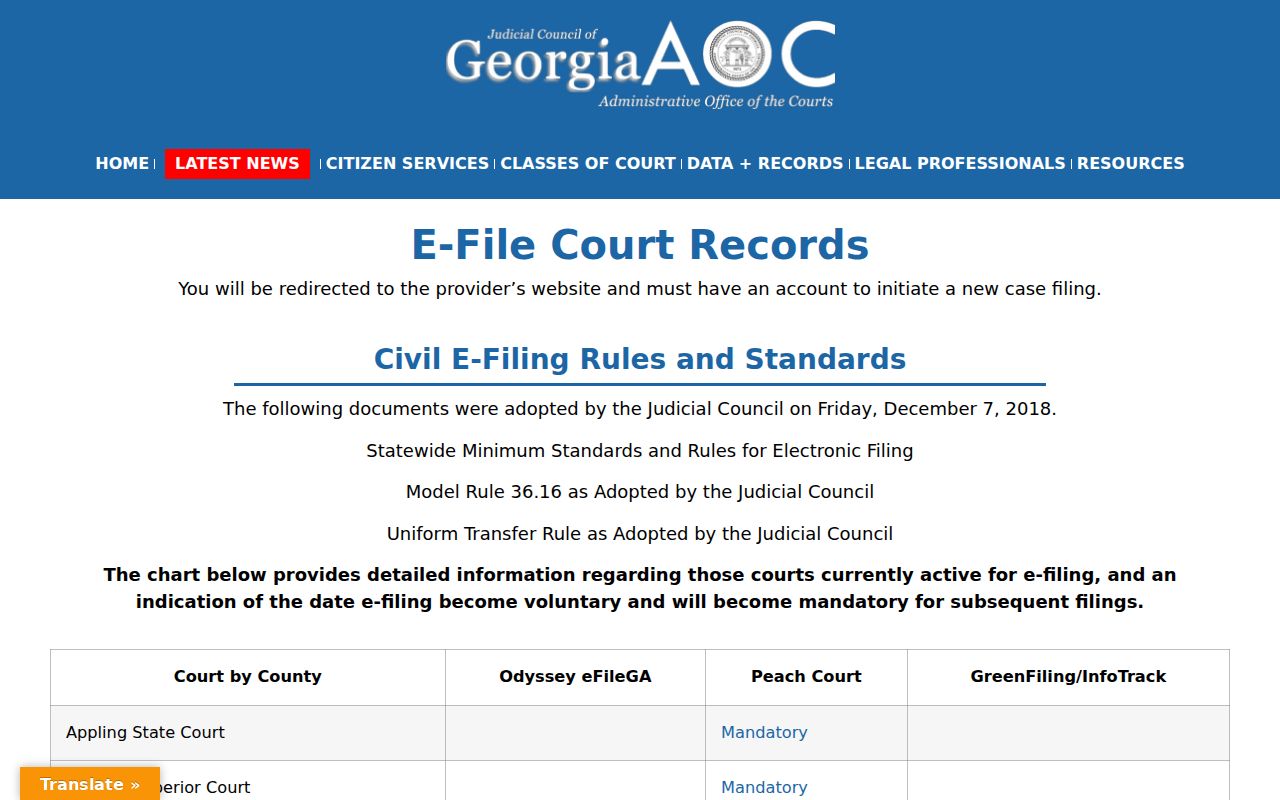
Pike Superior appears as Peach Court and Mandatory on the Georgia e-file status table. That label covers electronic filing only. It does not make PeachCourt a free public docket browser, nor does a filing account unlock every case.
Two different acts: E-filing sends a paper into a case; case lookup reads public case information that the custodian makes available.
The same limits apply to GSCCCA eCertification. It exists to fulfill certified-document requests. Its account and login controls are built for that job rather than name searching. You can browse dockets there only if you already know what you are after. See the PeachCourt provider table for how Pike Superior is marked.
Call the Correct Pike Clerk
The same caution applies to GSCCCA eCertification, which is a certified-document request channel. Its account and authentication controls do not make it a general name-search portal. The provider table marks Pike Superior as mandatory for filing. That identifies the filing route. It is not a public docket result page.
Restricted Cases and Access Rules
Access rules shape any Pike County docket search. The Pike Clerk opens court records to inspection and copying. The exceptions are juvenile records, adoption records, and anything sealed by court order. So a missing online result proves little. It could mean the wrong court, slow indexing, an account barrier, or restricted access. Or it may simply reflect a misspelled name.
Uniform Superior Court Rule 21 sets the access limits for Superior Court. Any limiting order must spell out the affected part, its scope, duration, and reason. Redaction works differently, hiding protected identifiers while the filing and docket entry stay public. Sealing goes further and can close off much more of the record. Before giving up, ask the clerk's office whether a public redacted version exists.
Georgia's record restriction law, O.C.G.A. §35-3-37, covers qualifying criminal-history records only. It does not wipe every local court source. For the true status of a Pike Superior file, check with the Clerk. Also review any controlling court order.